
Your first steps in Grass Rush Adventure
Move with WASD or the arrow keys, cut grass, and open your backpack with B to sell your finds.
Distributor controls and first-hand tests · October 8, 2026 · Desktop Edge · Game version not displayed
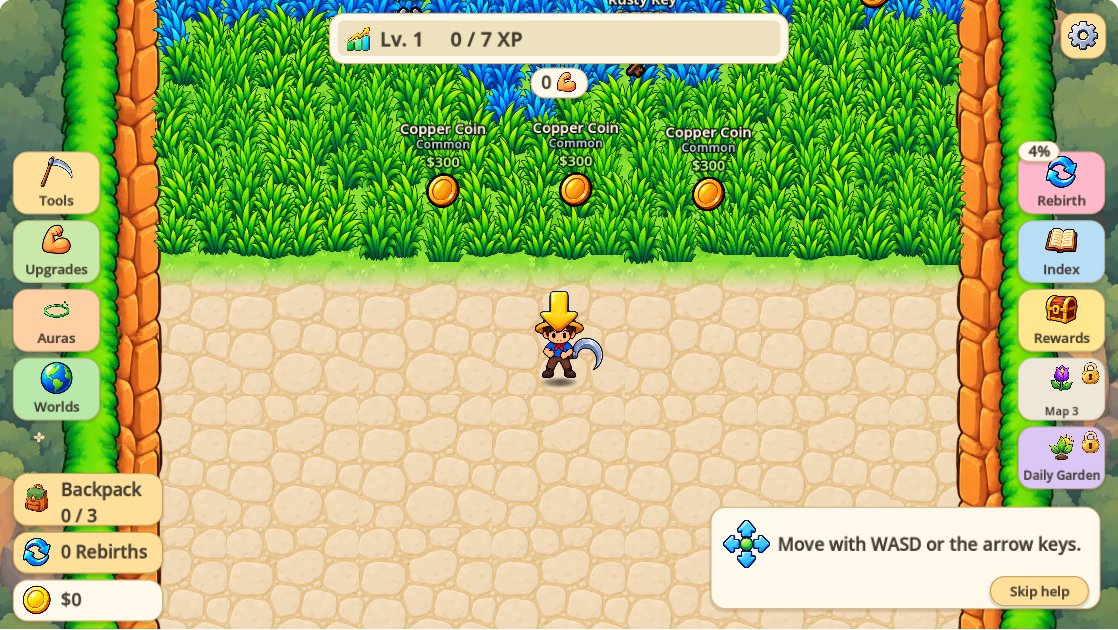
Keyboard and mouse controls
| Action | Input | Context |
|---|---|---|
| Move | WASD / arrow keys | While playing |
| Swing | Space / hold left mouse | Cutting also starts automatically near grass |
| Backpack | B | Open / close; leave Daily Garden when inside |
| Sell items | S | While the backpack is open |
| Settings | Esc | Open game settings |
Click inside the game frame before pressing keys. If arrow keys move the webpage, click the game again to give it focus.
Understand the collection loop
- Explore and cut. The game starts with a simple tool. Cutting grass is the entry point to finding collectibles.
- Check the backpack. Use B to inspect your inventory; use S while the backpack is open to sell items.
- Use the upgrade menus. The distributor describes improvements to your tool, backpack, range, speed, luck and pickup reach.
- Continue exploring. The listing describes additional worlds and a rebirth system. Exact unlock costs and the best upgrade order are not verified here.
How to sell items from your backpack
- Cut a path toward a treasure and move close enough to collect it. Check that the Backpack counter increases.
- Press B to open Backpack. The item and its current value should appear.
- Press S while Backpack is open, or use Sell All. The total shown is the value of the current contents.
- Check your coin balance and Backpack counter afterward. In our Copper Coin test, $0 became $300 and the counter changed from 1 / 3 to 0 / 3. The backpack closed and the character returned to the starting path.
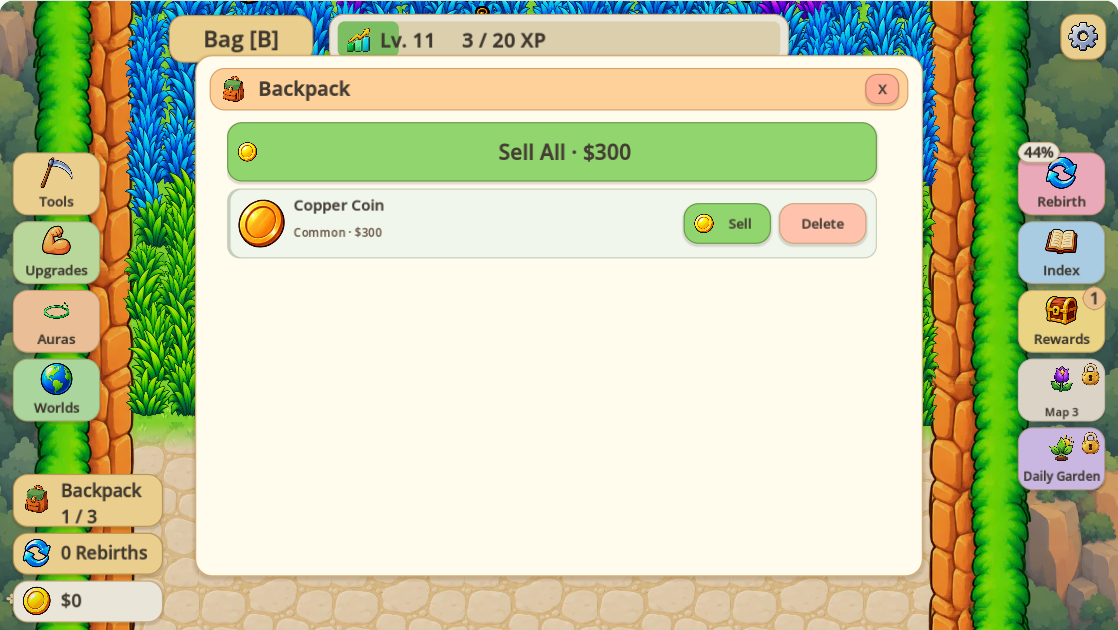
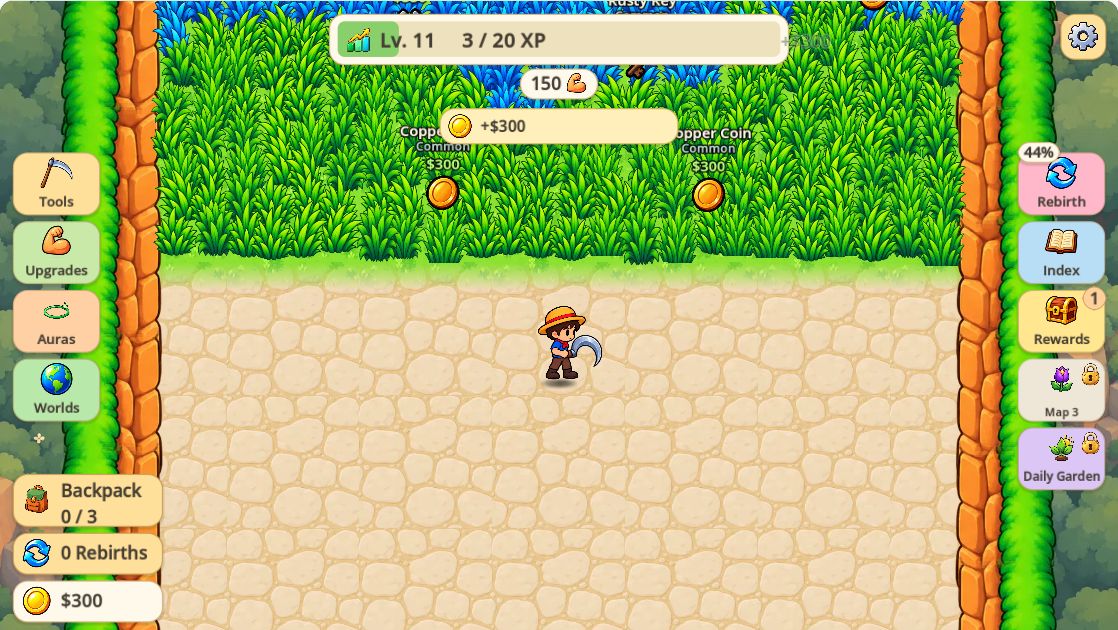
If Sell All is disabled, first check whether your backpack is empty. If S moves your character instead, open Backpack with B before trying to sell.
Your first backpack capacity upgrade
Open Upgrades on the left. In our test, the first Capacity purchase cost $500 and changed backpack slots from 3 to 4. Our balance changed from $630 to $130, and Capacity became 1 / 20. The next purchase displayed $12.6K; we did not buy it.
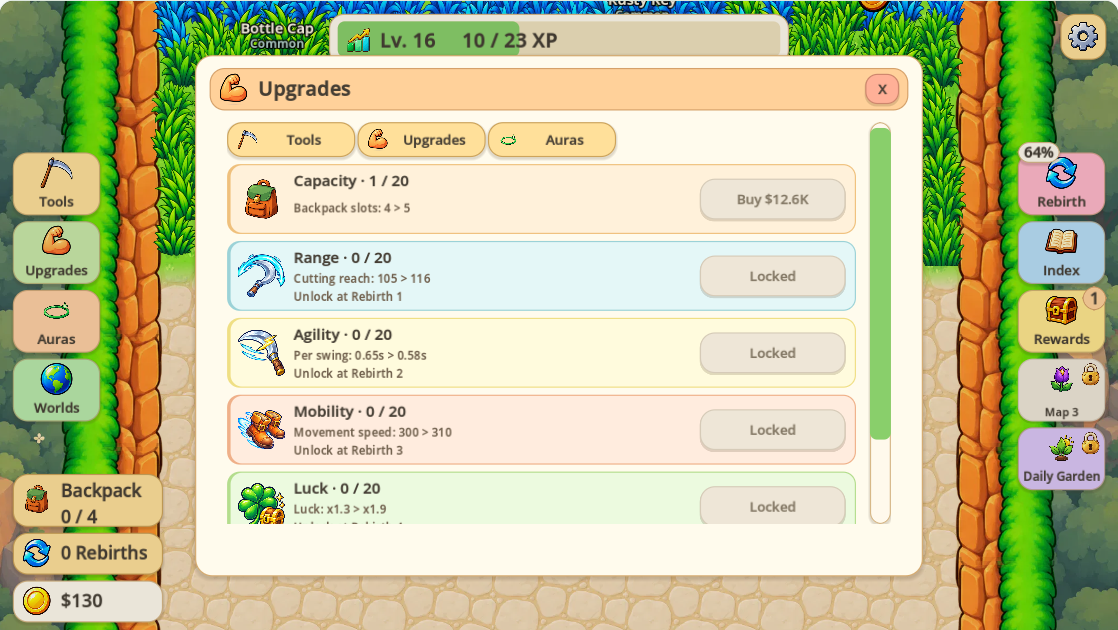
This verifies one purchase, not an optimal upgrade order. Check your current price, unlock condition and effect before buying.
Where to go next
Use the partial treasure catalog and local checklist to identify observed finds. For resets, see our first rebirth before-and-after test. To narrow your in-game discoveries, follow the tested World and Rarity filters in Index; its overall counter is separate from this site's checklist.
Daily Garden and Magic Plant
Our Daily Garden panel showed Meadow Garden locked at 117 / 1,000 grass cut, with an instruction to cut 1,000 grass clumps to unlock it. We did not enter the garden or verify rewards, resets or cross-day behavior. Magic Plant progression has not been tested. These topics will stay here until full workflows are recorded.
If the game will not load
- Use a current desktop browser with keyboard and mouse.
- Click Play once and allow time for the third-party game to start.
- Use Help under the player to open the original game in a new tab.
- If you reload, remember that unsaved progress may be affected.
Source and scope
This guide paraphrases the controls and description on the GameMonetize listing. The distributor marks the game as not mobile-ready. Selling and the first capacity upgrade were independently tested in one fresh desktop session. Treasure and rebirth pages state their own evidence scope. Optimal strategies and general save guarantees are not claimed.
Play Grass Rush Adventure